Guidelines for Indoor LED Displays (Not a Single One Missed) A Must - Read for Experts
Indoor LED displays are familiar to many. Those who often
install and use them may feel it’s simple, but in fact, some precautionary
details are often overlooked. Today, as a knowledge popularization, a
comprehensive introduction is provided for those who are not too familiar:
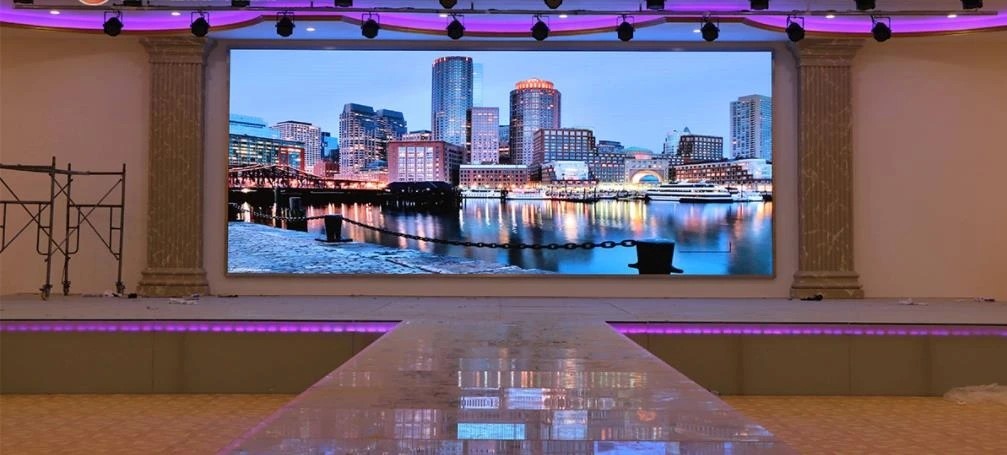
• Choose the Installation Environment
a. Corrosive Gas Environment: Do not install the display in
an environment containing corrosive gases (such as acid or alkali components),
like areas near chemical warehouses or indoor swimming pools (if necessary, an
outdoor surface - mounted screen is recommended).
b. Electromagnetic Radiation Environment: Do not install the
screen in an environment where electromagnetic or radio - frequency radiation
exceeds an electric - field strength of 5V/m. If necessary, isolation treatment
must be done.
c.

d. Strong Light Irradiation Environment: Do not install the
display in the direction of strong light, as strong light will affect the
display effect and require higher brightness from the display.
• Pay Attention to Environmental Temperature When the environmental
temperature is too high or heat - dissipation conditions are poor, do not keep
the screen on for a long time. The screen should be installed in an environment
with a temperature range of - 10°C~40°C. When the temperature exceeds this
range, temperature - control equipment is needed. It is strictly prohibited to
install LED displays near any heat sources. Excessively high environmental
temperature or poor heat - dissipation conditions can easily reduce the
lifespan of the LED display.
• Pay Attention to Environmental HumidityWhen installing
the display, the relative environmental humidity should be in the range of 30%
- 70%. When the indoor environmental humidity is lower than 30%, static
electricity is likely to be generated; when it is higher than 70%, the lamp
tubes are prone to dampness.
• Precautions for Switching LED Screens
e. Switching Sequence: When turning on the screen, turn on
the computer first, then the screen; when turning off the screen, turn off the
screen first, then the computer. Turning off the computer first without turning
off the display will cause high - brightness points on the screen, easily
burning out the lamp tubes, with serious consequences.
f. When switching the LED display, the interval time should be more
than 1 minute. Instantly turning it on and off imposes a great impact on the
display, easily damaging the screen due to high - voltage surges.
• Control the Usage Time of LED DisplaysIt is recommended
that the large LED
display screen rest for at least 2 hours every day. Generally, the screen
should be turned on at least twice a week (especially during the rainy season,
it needs to be turned on once a day), and the lighting time should be more than
2 hours.
• Control the Display of the LED Screen BodyIt is
recommended not to keep the display in full - white, full - red, full - green,
full - blue, or other full - bright images for a long time, as this will affect
the display’s service life. Do not arbitrarily disassemble or splice the screen
body.
• Strictly Prohibit the Screen Body from Contacting Conductive
Substances such as Water and Metal DustLED displays should be placed in a
low - dust environment as much as possible. Otherwise, it will affect the
display effect and damage the circuit. If it contacts water for various reasons,
cut off the power immediately and contact a repair technician. Use it only
after the screen unit board is completely dry.
• Maintain Power StabilityKeep the power supply stable.
Install a surge protector in the distribution box if necessary, and ensure good
grounding protection. Do not use the display during thunderstorms or other
severe natural conditions.
• Storage of Unit BoardsBefore using the unit board, do not
unpack the packaging, and place it in a dry place. Ensure the unit board is
stored in an environment with a temperature not higher than 30°C and humidity
not higher than 60%. Place a thermometer and hygrometer in the warehouse to
monitor temperature and humidity at any time. Additionally, require technicians
to wear anti - static equipment (such as anti - static wristbands and gloves)
when installing the display.
The above precautions are useful when installing and using
indoor displays. Pay close attention to details, otherwise problems will arise.


Comments
Post a Comment